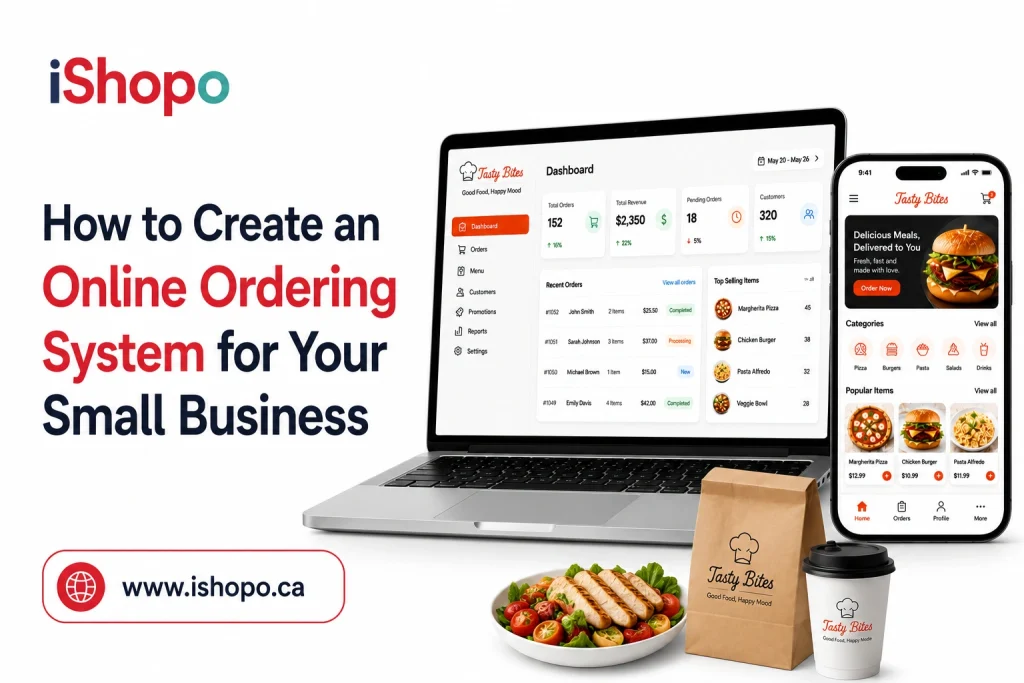

Online ordering has become more than a nice add-on for small businesses. It’s now a core way customers expect to interact with brands they love. An online ordering system for small businesses lets your customers place orders directly from your website or app, reducing calls, paper tickets, and manual errors. What this really means is smoother operations and more sales without tying up your team.
And e-commerce isn’t slowing down. Global online sales are part of a massive market now worth trillions, and that footprint keeps expanding. Worldwide e-commerce revenue is projected to grow steadily through the decade, with some estimates showing total online retail could reach around 8 trillion dollars by 2027.
At the same time, dedicated online ordering systems are also gaining traction. The global market for these systems was valued at close to 18 billion dollars in 2024 and is expected to more than double by 2032.
For a small business owner, this isn’t abstract business news. Customers increasingly choose convenience first. Whether they’re ordering food, picking up goods, or booking services, they want a quick way to order online and pay with minimal friction.
In this guide we break down what an online ordering system does, how to choose the right one for your needs, and how to set it up so that your small business keeps growing with changing habits.
TL;DR
- An online ordering system helps small businesses streamline operations and meet rising customer expectations.
- The global shift toward digital buying makes online ordering a core revenue channel rather than an optional feature.
- Choosing the right platform depends on ease of use, integrations, payment options, analytics and long-term scalability.
- A well-set-up system improves customer experience, reduces manual work and supports steady business growth.
Key Points
- Online ordering has become essential as customers increasingly expect quick digital access to products, menus and payment options.
- A strong system improves workflow by reducing manual entry, lowering errors and giving staff clearer order visibility during busy periods.
- Small businesses gain valuable customer data, which can be used for loyalty, remarketing and better decision-making.
- Comparing platforms requires looking beyond features to understand usability, integration needs, payment flexibility and long-term cost.
- Building an effective system involves clear goals, thoughtful setup, strong menu design, staff preparation and consistent iteration after launch.
- A careful rollout with testing, training and customer feedback helps ensure a smooth experience and encourages long-term adoption.
- Driving customers toward the online channel requires visibility, incentives, optimized UX and consistent communication across touchpoints.
- The cost of building a system varies based on design, integrations, custom features and operational needs, but the return comes through higher order volume and streamlined processes.
What an Online Ordering System Really Does for a Small Business
An online ordering system for small business owners solves more problems than most people expect. It is not just a way to take orders on a website. It becomes part of how your business communicates, sells, and operates every day. Let’s break it down in a clear, practical way so readers can see the real impact.
1. How it helps your customers
- Gives them a simple way to place orders without waiting on calls.
- Shows real-time availability of products or menu items.
- Let them pay instantly with familiar digital methods.
- Reduces mistakes that usually happen during rushed phone orders.
- Builds trust through quick confirmations and updates.
2. How it helps your team
- Cuts down on manual entry since orders land directly in your system.
- Keeps everything organized in one place so staff can focus on service.
- Reduces bottlenecks during peak hours.
- Makes it easier to track inventory and popular items.
- Helps reduce miscommunication and makes preparation faster.
3. How it helps your business grow
- Captures customer data that can be used for remarketing and loyalty.
- Opens up new revenue channels like delivery and scheduled pickup.
- Increases order size because customers explore more when browsing online.
- Offers insights that show which products bring in the most profit.
- Positions your brand to compete in a market where online convenience is expected.
A well-designed setup feels effortless for customers and powerful for you. It turns every click into clarity and every order into momentum.
Also Read: QR Code Ordering System for Restaurants in Canada
What to Look For When Comparing Platforms
Choosing the right online ordering system for a small business isn’t about picking the flashiest option. It’s about finding a platform that fits your customers, your workflow, and your goals. Here’s how to think through the key things that matter and what each one really does for your operation.
- Ease of use for your customers: Your customers should be able to place an order with as few clicks as possible. Complicated menus or unclear checkout steps lead to abandoned carts. What this really means is more sales and happier customers when everything feels intuitive.
- Clear setup and management on your end: You want a system that’s straightforward to configure and adjust. Platforms that require coding or heavy technical skills slow you down. Look for interfaces that let you update items, prices, and availability without confusion.
- Integration with your existing tools: A good online ordering system for small businesses should play nice with your current point of sale, accounting software, website, and any delivery partners you use. Smooth integration means less double entry and fewer errors.
- Flexible payment options: Customers expect choices. A system that offers multiple payment methods increases conversions. Make sure it supports debit and credit cards, mobile wallets, and any local payment options your audience prefers.
- Mobile-friendly experience: Most customers order from their phones. If the system isn’t optimized for mobile screens, you lose orders. A responsive design keeps the process seamless no matter the device.
- Reporting and analytics: Data isn’t just a buzzword. Look for platforms that show you sales trends, popular items, repeat customers, and peak order times. This kind of insight helps you make smarter decisions fast.
- Support and reliability: When something goes wrong, you want dependable help right away. Choose a platform with solid customer support and a track record of uptime. Slow or missing support costs you time and money.
- Cost and scalability: Price matters, but what matters more is value. Avoid systems with confusing fees or surprise charges. Pick something that fits your current budget and can grow with your business as orders increase.
Choosing the right system shapes how well your online channel performs. These points help you compare platforms not by their hype but by what they actually deliver for your business.
Steps to Build an Online Ordering System that Fits Your Business
Building an online ordering system for small business owners is not about installing a tool and hoping it works. It’s a full process that shapes how customers interact with you and how smoothly your team operates behind the scenes. These six steps give you a complete roadmap with enough detail to guide real decisions.
- Clarify goals and map the customer journey
Strong systems start with clear intent. Before touching any software, understand what you want this channel to achieve.
- Identify your primary goals, such as increasing digital orders, reducing phone traffic, or adding delivery.
- Look at how customers currently order and what slows them down.
- Outline the moments that matter from first click to confirmation.
- Understand whether your audience prefers ordering on mobile, desktop, or social platforms.
- Review how competitors in your area manage their digital ordering so you can spot opportunities.
This early clarity helps you avoid overbuilding features you don’t need and ensures every decision supports real customer behavior.
- Choose build or buy and pick the right platform
This is the turning point. It shapes cost, speed, and long-term control.
- Compare ready-made platforms with fully custom builds so you know what fits your technical comfort.
- Evaluate onboarding steps and the learning curve for you and your staff.
- Look for systems that offer meaningful integrations, including payment gateways, delivery partners, and loyalty tools.
- Test demo versions to understand how customers will move through the ordering flow.
- Review terms carefully so you’re not surprised by transaction fees, commissions, or upgrade charges.
Finding the right platform early makes the rest of the process far smoother and saves you from constant rework later.
- Set up payments delivery and order routing
A smooth back end is what turns clicks into real revenue.
- Offer trusted payment options so customers feel confident checking out.
- Set clear delivery zones, pricing, and estimated times so expectations are managed.
- Configure alerts and routing rules so the right team member receives each order instantly.
- Build a workflow for handling late deliveries, addressing mistakes, and refunds.
- Test different order volumes to make sure the system holds up during your busiest hours.
This is where reliability really starts to matter. If customers trust your fulfillment process, they return more often.
- Design your menu experience and UX
Your menu or product list is the heart of your online storefront. Good design leads to higher order value and fewer abandoned carts.
- Arrange categories logically based on what customers buy most.
- Write short descriptive item details that answer common questions.
- Use clean photos that feel consistent and professional.
- Add customization options that improve experience without overwhelming the customer.
- Highlight bestsellers and seasonal items to guide choices naturally.
- Keep the checkout simple with only the essential steps.
A strong UX turns your online ordering system for small businesses into an easy daily habit for your customers.
- Prepare operations staff and inventory systems
Even the best software fails if your team feels unprepared. Operations support the promise your digital channel makes.
- Train every staff member on how digital orders arrive and where to find details.
- Create a process for prioritizing online vs. walk-in orders during rush periods.
- Set up inventory syncing so items are automatically marked as out of stock.
- Build contingency plans for system outages or device failures.
- Encourage staff to collect real-world feedback from customers picking up orders.
Your team becomes the bridge between online convenience and real-world service.
- Launch monitor and iterate continuously
Going live is just the start. Improvement happens after the first wave of real orders.
- Do a soft launch that allows you to fix issues calmly before announcing widely.
- Track performance metrics such as conversion rate, top-selling items, and the time it takes to fulfill each order.
- Listen closely to customer comments so you can refine the experience.
- Experiment with menu layout and pricing to find the sweet spot.
- Review data regularly and update your system as habits change.
Consistency and iteration are what turn an online ordering system into a real growth engine for your business.
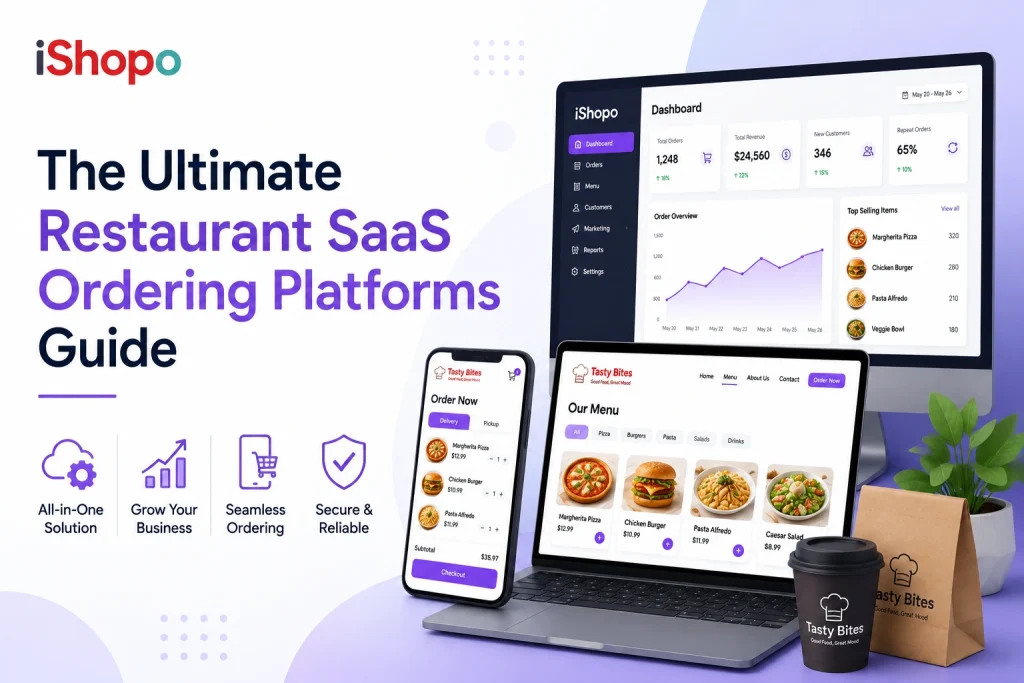
Read Also: Ultimate Restaurant SaaS Ordering Platforms Guide
How to Launch, Test, and Refine Your New System
Launching an online ordering system for small business owners works best when you treat it like a living project instead of a one-time switch. A thoughtful rollout helps you catch issues early, build confidence with your team, and deliver a smooth experience to customers from day one. Let’s break it down so every step feels doable.
1. Start with a soft launch
A quiet launch helps you see how the system behaves in real conditions without overwhelming your team.
- Invite a small group of loyal customers, friends, or staff to place test orders.
- Monitor how fast orders show up in your dashboard or kitchen.
- Track any delays, errors, or confusing steps reported by testers.
- Use this phase to fine-tune menu items, pricing formats, and category structure.
A soft launch gives you honest insight before the public tries it.
2. Test across devices and real scenarios
People order in different ways. Make sure your system works everywhere your customers are.
- Test the full flow on mobile, tablet, and desktop since most activity happens on phones.
- Try ordering with poor WiFi or mobile data to see how the system handles slow connections.
- Check the experience for both pickup and delivery.
- Run test payments with different methods to confirm smooth checkout.
The more realistic your testing, the more ready you’ll feel at launch.
3. Train your team for real-world use
Your staff shapes the customer experience as much as the technology.
- Walk through fulfillment steps so everyone knows where orders appear and what to do next.
- Set response times and internal targets to keep service consistent.
- Encourage staff to flag anything that slows them down.
- Create a quick reference guide for addressing common customer questions.
Team confidence reduces stress once real orders arrive.
4. Collect feedback continuously
Feedback helps you improve long before customers decide to look elsewhere.
- Add a simple message asking customers to share their first impressions.
- Review ratings, comments, and customer support tickets at least weekly.
- Track cancellations or incomplete orders to spot hidden friction.
- Look for repeated patterns so you can adjust the system with purpose.
This ongoing loop keeps your online ordering channel evolving.
5. Refine based on data not guesswork
Data turns trial and error into meaningful progress.
- Study peak hours to adjust staffing and prep routines.
- Identify top sellers and underperformers so your menu stays optimized.
- Track average order value and conversion rates after each change.
- Experiment with small tweaks so you can see what moves the needle.
Over time you build a system that not only works but also thrives.
6. Announce the full launch
Once everything feels stable, share it proudly.
- Promote the new ordering option on your website.
- Add a clear call to action on social media and Google Business Profile.
- Offer a simple incentive like a discount on first online orders.
- Keep reminders active until online ordering becomes a habit for your customers.
A strong launch sets the tone for long-term adoption and trust.
This approach turns your online ordering system for small businesses into a polished channel that improves with every order.
Also Check: Everything About Restaurant Digital Ordering Software
Cost to Build an Online Ordering System
The cost to build an online ordering system for a small business usually begins around $800 and can rise to $20,000 or more. The wide range exists because every business operates differently. Some only need a simple digital menu with basic ordering. Others need delivery routing, deep integrations, custom branding, and high traffic support. Understanding how these elements affect price helps you make confident decisions instead of guessing.
Complete Cost Breakdown
This table gives you a practical view of what goes into the project and why each stage matters.
| Stage of the project | What it includes | Estimated cost range |
| Initial planning and consultation | Understanding your workflow, mapping goals, reviewing customer behavior, outlining system requirements | $200 to $1,000 |
| Platform setup or custom development | Choosing a ready platform or building a tailored system that fits your operations | $800 to $12,000 |
| UI and UX design | Menu experience, product layout, navigation flow, mobile optimization | $300 to $2,500 |
| Payment gateway setup | Integrating cards, wallets, UPI, or region-specific payment methods | Up to $500 depending on provider fees |
| Delivery and order routing | Setting delivery zones, pickup flows, kitchen routing, device setup | $200 to $1,500 |
| POS or inventory integration | Syncing stock, automating updates, aligning sales reports | $300 to $2,000 |
| Testing and soft launch | System testing, staff practice, mock orders, final adjustments | $150 to $1,000 |
| Ongoing maintenance | Updates, menu edits, bug fixes, security patches | $20 to $150 per month |
This breakdown shows the realistic building blocks that shape both complexity and cost. A simple setup sits at the lower end, while multi-location or highly customized systems sit toward the upper range.
What really affects the cost
Think of these factors as the levers that push the budget up or down.
- How custom the system needs to be: A prebuilt solution saves money because most features already exist. Custom development costs more because every screen, rule, and workflow is made specifically for your business.
- Number of tools the system must connect to: Integrations add convenience but require technical work. Payment processors, delivery partners, loyalty tools, accounting software, and kitchen displays each add complexity.
- Design depth and menu structure: A straightforward layout with basic items costs much less than a visually rich menu with bundles, modifiers, timed menus, and upsell paths.
- Expected traffic and order volume: Small shops can run on simple hosting. Businesses expecting high demand need stronger servers and performance tuning, which raises the investment.
- Web-only or web-plus apps: Adding Android and iOS apps increases both development time and long-term maintenance.
- Operational readiness: If your workflow is simple, setup is fast. If your business needs new tablets, printers, training sessions, or revised processes, costs and time increase.
- Frequency of updates: Some businesses barely change their menu. Others make daily adjustments. More updates mean more ongoing support.
When you understand these layers, you avoid choosing a system that looks affordable on paper but becomes costly when hidden fees, limitations, or missing features show up. A well-planned online ordering system becomes a long-term asset that boosts revenue, reduces manual work, and strengthens customer loyalty.
The right investment should feel aligned with your business stage. It should start small if you’re testing the waters and scale smoothly as your digital demand grows.
Ways to Drive Customers Toward Your Online Ordering Channel
An online ordering system for small businesses only reaches its full potential when customers know it exists and feel motivated to use it. Visibility and habit building matter as much as the technology itself. These strategies help you guide customers toward your digital channel and turn it into a regular part of how they shop with you.
1. Promote it at every customer touchpoint
Make the ordering link impossible to miss.
- Add a visible button on your website header and homepage.
- Feature it on your Google Business Profile.
- Include the link in every social media bio.
- Add a clear call to action on printed menus, packaging, and receipts.
- Display a small table card or counter sign that encourages online ordering.
Small reminders spread across your channels create steady traffic.
2. Offer a first-order incentive
People love incentives when trying something new.
- Provide a small discount or free add-on for first online orders.
- Use loyalty points as a reward for switching to digital ordering.
- Announce time-limited offers to spark curiosity.
These nudges help customers build trust with the new system.
3. Use social channels to build awareness
Your social presence can drive consistent online orders when used with intention.
- Post short videos or visuals that walk customers through the ordering flow.
- Highlight bestsellers and seasonal items that can be ordered instantly.
- Share customer reviews that mention the convenience of online ordering.
- Run simple campaigns that encourage followers to try the digital menu.
Social content keeps your online channel top of mind.
4. Encourage repeat customers to go digital
Your regular customers are the quickest to adopt a more convenient option.
- Add a gentle reminder at checkout for walk-in customers.
- Train staff to mention online ordering during busy hours.
- Share loyalty benefits that are only available through the online channel.
Once regular customers switch, they tend to stay consistent.
5. Strengthen the experience with fast fulfillment
A smooth experience encourages customers to return without extra prompting.
- Prepare online orders with clear labeling and accurate timing.
- Keep pickup shelves or counters organized so customers collect orders quickly.
- Update preparation times during peak hours to maintain trust.
When customers experience reliability, they prefer ordering online.
6. Use email and SMS updates
Customers pay attention to direct communication when it feels helpful.
- Send occasional reminders about new items.
- Share exclusive online-only deals.
- Notify customers about improved delivery or pickup options.
These messages reinforce the value of using your digital channel.
7. Partner with local influencers or communities
Local voices carry weight within neighborhoods.
- Collaborate on simple features like a taste test or ordering a demo.
- Sponsor small community events and promote online ordering there.
- Offer special codes for audience groups that fit your customer base.
This introduces your system to people who might not find it on their own.
8. Optimize your online ordering experience
A polished channel naturally attracts more users.
- Keep the menu updated and organized.
- Remove items that are frequently unavailable.
- Ensure the experience feels quick on both mobile and desktop.
When the system feels effortless, customers choose it without convincing.
Driving customers to your online ordering channel is a mix of visibility, habit building, and consistent experience. With steady effort, your online ordering system for small business becomes a strong revenue stream that grows month after month.
Read Also: Commission-Free Food Ordering System: Complete Guide
Choosing the Right Online Ordering System for a Small Business
Picking the right online ordering system for small business owners shapes how easily customers place orders and how smoothly your team handles them. The goal is to choose a system that supports your workflow, fits your budget, and grows with your plans. Let’s walk through what matters most and why the right choice can make daily operations feel lighter.
1. Look for a platform that matches your business style
Every small business has its own rhythm. Your system should fit that rhythm instead of forcing you into a rigid structure.
- Make sure you can update items and prices without technical help.
- Check if the system handles simple, complex, or time-based menus.
- Confirm that order notifications reach your team instantly.
A good fit feels natural from the first day.
2. Make sure customers find it easy to use
If customers enjoy the ordering experience, they come back more often.
- Choose a setup that loads fast on mobile since most orders happen there.
- Keep the navigation clean so customers reach checkout without confusion.
- Ensure payment options match what your audience prefers.
Ease of use leads to more completed orders.
3. Consider how well the system connects with your tools
Your daily tools should work together without friction.
- Look for smooth connections with POS and inventory systems.
- Check if it can send reports that help you understand sales trends.
- Confirm that delivery partners or pickup methods integrate cleanly.
These connections save time and prevent mistakes.
4. Make sure support is reliable
Strong support keeps your business moving even when something breaks.
- Choose a platform known for quick responses.
- Review how they handle updates and technical issues.
- Look for clear documentation and training resources.
Reliable help matters when orders are flowing.
5. Think about future growth
Your business will evolve, so your system should evolve too.
- Check if the platform can scale with higher volume.
- Look at long-term pricing to avoid unwanted surprises.
- Confirm that new features can be added later.
A flexible system protects your investment.
Why create your own system when you can launch with iShopo
Building an ordering system from scratch takes time, technical skill, and constant upkeep. Most small businesses don’t need that level of complexity. What they need is a solution that works smoothly from day one and grows with them without adding stress.
iShopo delivers exactly that. It brings ordering, payments, menu management, delivery coordination, and a polished customer experience together in one unified platform. Instead of juggling multiple tools or dealing with expensive custom development, you get a ready system that still feels tailored to your business.
What sets iShopo apart is the ability to create a fully branded experience for any food business. Your colors, your menu flow, your identity. From local restaurants and cafes to cloud kitchens and food trucks, each setup is designed to match the way you operate.
You launch faster, manage orders more easily, and give customers a clear, reliable way to order from you anytime. That’s the advantage of choosing a platform that’s already built for the needs of small food businesses while still offering the flexibility of a custom solution.
Conclusion
Creating an online ordering system for small business owners isn’t just about keeping up with trends. It’s about giving customers a faster way to order, giving your team a smoother workflow, and giving your business a channel that keeps growing even when you’re busy serving people in person. Once you understand the steps, the cost, and the features that matter, the path becomes far easier to navigate.
You don’t have to build everything from the ground up to unlock these benefits. With iShopo, you get a fully branded ordering experience that fits the way your business works and delivers the speed and reliability customers expect. It lets you focus on serving great food while your online system handles the flow of orders in the background.
Choosing the right platform today sets you up for stronger customer loyalty, higher order volume, and a more efficient operation tomorrow. If you’re ready to turn online ordering into a growth engine for your business, iShopo gives you a smart place to start.