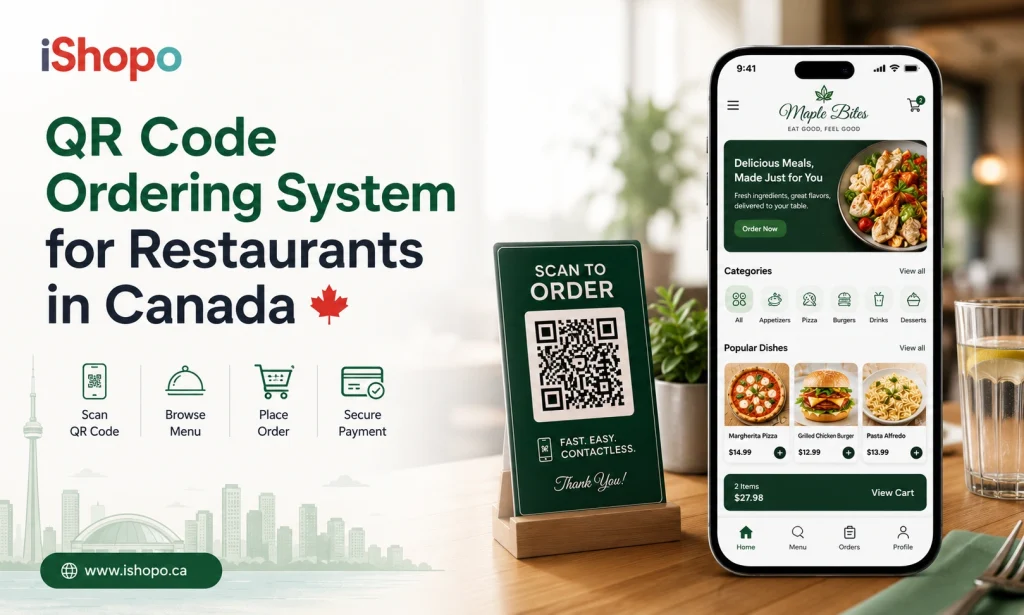

Imagine if the experience of eating out would be quicker, cleaner, and more focused on the food rather than waiting for a waiter or dealing with paper menus. QR code ordering systems are being adopted in many restaurants across Canada, which are rethinking how customers order.
Global adoption of contactless dining is no longer just a pandemic-era trend. Industry estimates show the global contactless dining market was valued at about 19.8 billion USD in 2024 and is forecast to reach 62.5 billion USD by 2033. This growth reflects steady consumer demand for convenience, safety and speed.
On the consumer side, roughly 75 percent of restaurants worldwide now offer QR-code menus, and more than half of diners report using digital ordering or payment via QR in restaurants.
That suggests this method is becoming mainstream and not just in big cities or trendy eateries.
For Canadian restaurants striving to deliver quick service and meet changing customer habits, QR-based systems offer more than just novelty. They create a smoother flow from browsing the menu to paying the bill, reduce wait times significantly and make it easier for staff to manage orders during peak hours.
In this blog, we’ll explore how QR-code ordering works, why it’s relevant in Canada today, and what the future may hold for contactless dining.
TL;DR
- QR code ordering is becoming a standard dining method in Canada.
- It helps restaurants serve faster with fewer staff.
- Digital menus improve accuracy, reduce waste and increase revenue.
- Contactless dining trends show growing demand for flexible, tech-assisted service.
Key Points
- A QR code ordering system allows diners to browse menus, place orders and make payments directly from their phones, reducing dependence on staff.
- Digital ordering speeds up service, improves order accuracy and eliminates frequent printing costs by enabling real-time menu updates.
- Restaurants using QR self-ordering benefit from lower labor pressure, faster table turnover and higher average spending through smart upselling.
- Contactless dining trends in Canada point toward personalized digital menus, integrated loyalty programs and intelligent kitchen routing powered by data and automation.
What is a QR Code Ordering System
A QR code ordering system is a digital method of placing food orders through a scan code displayed on restaurant tables, counters or menu stands. When a guest scans the code with a smartphone, it opens an online menu where the customer can review items, customize the order and submit it directly to the restaurant’s kitchen. The same system can also support billing and payment if the restaurant chooses to enable it.
In practical terms, this creates a clear and uninterrupted flow between the guest and the service team. Customers can browse the menu at their own pace, check ingredient details, specify dietary needs, choose add ons and confirm the order without waiting for staff to take it manually. The restaurant receives the request in real time, which helps prevent missed orders, delays and communication errors.
Restaurants benefit from a QR code ordering system because it allows instant menu updates without printing costs, reduces reliance on printed menus and helps staff handle busy service periods more efficiently. Customers benefit from improved accuracy, shorter waiting time and access to the most current menu information.
As Canadian hospitality businesses face growing demand for faster dining, digital convenience and clear communication, the QR code ordering system serves as a practical solution. It connects the dining area to the kitchen, billing platform and customer payment options, helping restaurants deliver service with greater consistency and control.
Also Read: QR Code Menu: Benefits & Why Your Restaurant Should Use It
Why Restaurants In Canada Are Adopting QR Ordering
Restaurants across Canada are increasingly turning to digital solutions to keep operations efficient and service consistent. A QR code ordering system supports these goals by improving both guest interaction and internal workflow. The shift toward QR ordering is driven by several business and customer behavior trends shaping the hospitality sector.
- Rising labor expenses and limited staffing availability: Recruitment and training challenges continue to affect restaurants in major Canadian markets. A QR code ordering system helps reduce pressure on front-of-house teams by allowing guests to place their own orders. Staff are then able to focus on food delivery, table support and customer service, rather than managing order entry.
- A growing preference for quick and convenient dining: Time-sensitive diners, especially in urban areas, expect rapid service without waiting for staff. Digital self-ordering speeds up table turnover and helps restaurants serve more guests during peak times. This creates a more consistent flow and improves overall revenue potential.
- Widespread acceptance of mobile and contactless payments: Canadians are comfortable paying through mobile wallets and online platforms. Integrating payments into the same page as the menu provides a clean checkout experience and reduces the need for printed bills or payment terminals on every table.
- Real-time menu and pricing control: Restaurants often adjust portions, ingredients and pricing due to seasonality and supply fluctuations. A QR code ordering system makes these changes immediate, removing printing costs and preventing guests from ordering unavailable items. This level of flexibility supports cost management and keeps the menu accurate.
- Improved accuracy in order communication: With guests entering their own selections, customizations and allergy details, the kitchen receives precise instructions. This reduces misunderstandings, lowers waste from incorrect orders and increases customer satisfaction through reliable preparation.
- Access to meaningful customer and operational insights: Digital ordering captures valuable data, including high-performing dishes, spending patterns, repeat preferences and peak ordering hours. These insights help restaurants build strong menu strategies, tighten inventory management and design targeted promotions.
- A cleaner and contactless dining environment: Guests often prefer to avoid shared menus. Digital ordering provides a modern, hygienic alternative without sacrificing menu variety or detail. This approach aligns with consumer expectations for safe, low-contact dining experiences.
Taken together, these factors explain why QR ordering is becoming an essential service model rather than a temporary innovation. For Canadian restaurants aiming to operate efficiently while creating a focused and customer-friendly dining experience, a QR code ordering system delivers both practical value and long-term strategic benefits.
Benefits Of Implementing A Contactless QR Code Ordering System
A QR code ordering system brings significant operational and customer-focused advantages to restaurants. The adoption of this technology supports a more organized workflow, reduces unnecessary delays and helps restaurants create a smooth dining experience from entry to exit. Below are key benefits, each explained with practical impact.
- Greater efficiency across the dining floor: Ordering becomes quicker when guests scan a code and send their request instantly to the kitchen. Servers no longer need to take every order at the table, which frees them to focus on hospitality, upselling and resolving customer needs. This leads to smoother service and the ability to manage peak hours with fewer delays.
- Shorter wait time and faster table turnover: Customers no longer wait for a printed menu or for staff to visit the table. This significantly reduces ordering time and speeds up service. Restaurants can accommodate more guests within the same number of seats, improving daily revenue without expanding floor space.
- Error-free communication with the kitchen: Manual order taking often results in missed details, unclear notes or incorrect modifications. With a QR code ordering system, customers enter all specifications directly, including allergies, extra toppings or preparation preferences. Orders reach the kitchen exactly as they were chosen, improving accuracy and reducing wastage.
- Instant menu updates with no printing cost: Menu prices, descriptions and availability can be updated at any moment without reprinting. Seasonal ingredients, supply fluctuations or promotional items can be managed online with no interruption to service. This helps maintain clarity for guests and eliminates costs spent on frequent printing.
- Better control over customer spending: Digital menus can showcase suggested add-ons, sides or combos while customers explore their choices. This encourages higher-value orders without pressure from staff. Restaurants gain an effective way to promote premium items and improve average spend per table.
- Built-in digital payment options: Depending on the restaurant’s setup, guests can scan, order and pay from the same screen. This reduces reliance on card machines, minimizes checkout wait time and allows smooth bill settlement, especially for group dining.
- Improved hygiene and low-touch experience: Contactless menus remove the need to handle shared surfaces, supporting a clean dining environment. Guests interact through their own devices, which aligns well with current expectations for hygiene in public spaces.
Each of these benefits shows that a QR code ordering system is not only a convenience but also a strategic tool that uplifts restaurant operations, enhances customer experience and drives profitable growth.
Also Check: Everything About Restaurant Digital Ordering Software
Boosting Staff Efficiency With Self-Ordering
A QR code ordering system helps restaurants manage service more effectively by reducing the amount of time staff spend on manual tasks. Instead of focusing on taking orders, passing handwritten notes to the kitchen or returning repeatedly to collect billing information, team members can put their effort into hospitality and table support. This creates a working environment where staff skills are used more productively, which leads to better customer service and smoother operations.
With self-ordering in place, the dining floor becomes easier to manage because guests take control of the initial order process on their own phones. Servers can now monitor fewer tables at a time while still maintaining a high standard of service. Kitchen staff also benefit from a direct flow of digital orders, which removes errors caused by unclear handwriting or verbal miscommunication.
Key improvements for staff include:
- Less time spent writing or editing orders.
- Clear and accurate notes from customers in real time.
- Reduced congestion at the POS during peak hours.
- More time available for upselling, service and food delivery.
By using a QR code ordering system, restaurants operate with greater clarity, reduce pressure on employees and maintain better service quality even with smaller teams. This leads to happier guests and a more manageable workload for staff.
Best Practices for Implementing QR Ordering in Canada
Successfully rolling out a QR code ordering system in Canada means planning both the technology and the customer experience. Here is a clear step-by-step approach you can follow.
Step 1. Plan your QR code ordering system strategy
Start by defining why you are introducing QR ordering and what outcomes you expect.
- Identify your primary goal, such as faster table turnover, lower labour pressure or improved order accuracy.
- Review your current service flow and note where delays or errors usually happen.
- Decide whether QR ordering will be used for dine-in only or also for pickup and takeaway.
- Involve managers and frontline staff early so the process reflects real daily operations.
Step 2. Select a QR code ordering system built for Canadian restaurants
Your choice of platform will shape everything that follows.
- Ensure support for Canadian taxes, including GST, HST and provincial rules.
- Confirm that the system works with your existing POS, kitchen display and printers.
- Check if the provider supports bilingual menus where needed, for example English and French.
- Look for responsive support, clear documentation and training resources for your team.
Step 3. Design a clear digital menu and ordering flow
The digital menu is the face of your QR code ordering system. It must be intuitive and fast to use.
- Organize items into logical categories such as starters, mains, desserts and beverages.
- Use concise descriptions with key details on ingredients, allergens and dietary labels.
- Display strong visuals for signature dishes and profitable items.
- Add simple modifiers and add-ons without overwhelming the guest with too many choices.
- Test the full experience on different devices to ensure smooth navigation and checkout.
Step 4. Prepare the physical setup and technology
QR ordering only works well when the physical environment supports it.
- Generate unique QR codes for each table or zone so orders are routed correctly.
- Print codes on durable table tents, stickers or menu cards that match your branding.
- Verify that Wi-Fi coverage is strong in all seating areas and easy for guests to access.
- Integrate the system with your POS and kitchen so orders print or appear instantly with clear table mapping.
Step 5. Train staff and guide guests confidently
Even with self-ordering, staff remain essential to the guest experience.
- Train servers on how the QR code ordering system works from scan to payment.
- Provide simple explanations they can share with guests who are new to QR ordering.
- Prepare a backup flow for guests who prefer traditional ordering or have accessibility needs.
- Emphasize that staff should focus on hospitality, menu guidance and table checks while the system handles order entry.
Step 6. Monitor results and refine continuously
Implementation is not finished on launch day. Ongoing optimization keeps the system effective.
- Track metrics such as average order time, table turnover, order value and error rates.
- Review which dishes and combos perform best and adjust the menu layout accordingly.
- Collect staff and customer feedback on clarity, speed and ease of use.
- Regularly update the menu, promotions and messaging to keep the experience fresh and aligned with your brand.
By following these steps, a restaurant in Canada can implement a QR code ordering system that improves efficiency, respects local requirements and genuinely enhances the dining experience for guests.
Also Read: Why Every Restaurant Needs an Ordering App
Cost and ROI of QR Ordering Systems for Restaurants
A typical QR code ordering system in Canada can cost anywhere from 50 to 250 CAD per month depending on features, integrations and support.
The total investment covers software subscription, printer setup, menu design and staff training. Below is an estimated cost breakdown for a complete implementation.
| Cost Component | Estimated Price Range (CAD) | What it Includes |
| Monthly software subscription | 50 to 250 per month | Digital menu access, QR ordering, payment integration, and real-time updates. |
| One-time setup and onboarding | 200 to 800 | Account configuration, menu upload, tax setup, and initial customization. |
| Engineering or API integrations | 100 to 500 | POS connection, kitchen display linking, printer mapping. |
| QR printing and table hardware | 50 to 200 | Table tents, stickers, stands, and branded print material. |
| Kitchen printer or KDS support | 200 to 1000 | Thermal printer, kitchen display screen, device configuration. |
| Staff training and support | 100 to 300 | Onsite or remote assistance, operational training. |
Measuring return on investment
The financial impact of a QR code ordering system becomes clear because it improves service efficiency without increasing labor costs. Instead of hiring additional staff to handle busy periods, restaurants use digital ordering to manage more tables with the same team. This shift allows daily operations to run at a lower cost while maintaining strong service quality. The return on investment becomes visible through multiple revenue and savings factors.
- Lower labor strain and reduced hiring needs: During peak hours, fewer employees are required to take orders or manage billing. Existing staff can focus on hospitality and delivery, which reduces staffing pressure and overtime expenses.
- Fewer errors and less waste: Orders reach the kitchen exactly as entered by the customer. Clear and accurate information lowers the risk of incorrect dishes, refunds and ingredient wastage, improving profit margin over time.
- Increased customer spending through visual menus: Digital menus guide guests toward premium items, sides, combos and add-ons. Because the suggestions appear naturally on screen, customers explore more options, leading to higher ticket sizes without staff intervention.
- Faster table turnover increases revenue potential: With shorter ordering and checkout times, restaurants serve more guests within the same number of seats. This creates additional revenue without expanding floor space or increasing operational cost.
- Lower recurring expenses on printed menus: Frequent menu changes no longer require reprints. Seasonal updates, pricing modifications and limited-time promotions can be added online, reducing print costs year-round.
By combining these gains, most restaurants recover their system cost within a few months. Beyond the breakeven period, the QR code ordering system continues to generate ongoing savings and revenue improvements, making it a long-term investment with sustained returns.
Functioning Process Of iShopo’s QR Code Self-Ordering
iShopo’s QR code ordering system is built to simplify service while keeping full control in the restaurant’s hands. The guest experience is fast and independent, but the restaurant still manages menu updates, kitchen routing and billing from one platform. The result is a dining flow that is digital, accurate and easy for both sides to use.
1. How iShopo’s QR ordering works step by step
- A dedicated QR code is placed on each table and linked to that specific table number inside the system.
- When a guest scans the code, a restaurant-branded digital menu opens instantly without needing an app download.
- The customer explores the menu, sees images, ingredient notes and custom options, then places the order.
- The order is sent automatically to the kitchen display or printer with table information and ingredient notes.
- Kitchen staff prepare the items, while servers focus on delivering food and assisting guests.
- If payments are enabled through QR, customers can pay online at the end of the meal or directly after placing the order.
This model reduces the workload on servers and gives customers more control over how they order and pay.
2. Payment options in iShopo’s QR system
A restaurant in Canada can choose how it wants bills to be handled, which makes the platform flexible for different service styles. iShopo supports multiple payment flows that work the same whether a restaurant is casual, high volume or premium.
Available payment options
- Pay at table through the guest’s phone using cards, wallets or online banking.
- Split payment, allowing diners to divide the bill item-wise or equally among the group.
- Pay at counter, where the system generates a bill but payment is handled by staff.
- Cash payment with printed or digital bill support.
- Hybrid billing, where some guests pay online while others pay through staff.
This flexibility ensures that digital ordering does not force a restaurant into one fixed checkout process.
3. Contactless self-ordering modes
iShopo provides three modes of contactless ordering so each restaurant can choose how much automation it wants.
Table mode
- Guests scan a code at their table.
- They order and optionally pay from their phones.
- Staff deliver food and handle hospitality tasks.
Self-pickup mode
- Customers place orders digitally before reaching the counter.
- They receive an order number or notification.
- They simply pick up when called, reducing queue time.
Counter-assisted mode
- Guests order on their phones, but staff can manage, verify or modify orders when needed.
- Works well in busy cafés or fast-casual dining where speed and accuracy both matter.
Restaurants can switch between these modes anytime based on traffic, time of day or business strategy.
4. Printer and QR code setup
The physical setup is key to making the system reliable. Each QR code is both a menu link and a table identifier, which makes order routing accurate.
Setup essentials
- Unique QR codes are generated for every table, order zone or pickup counter.
- Professionally designed print formats such as table stands, stickers or tent cards to match the restaurant’s brand.
- Kitchen printer or display screen connected to the system for instant order alerts.
- Automatic routing to the correct station, such as the grill, dessert, bar or main kitchen.
- Real-time updates when an order is accepted, prepared or completed.
When the QR code, printer and kitchen display work together, orders move without confusion or delay, and staff don’t need to manually enter anything.
By combining digital ordering, flexible payments, smart routing and customizable automation modes, iShopo’s QR code ordering system helps Canadian restaurants optimize labor, boost revenue and deliver a more streamlined dining experience.
Read Also: How Food Online Ordering Systems Empower Restaurants
Future Trends In Contactless Dining Across Canada
Digital ordering is evolving into a core part of the dining experience in Canada, and a QR code ordering system will continue to shape how guests interact with restaurants. As customer expectations shift toward fast, independent and tech-assisted service, contactless dining is moving from a convenience feature to an industry standard.
Personalized digital menus: Restaurants are beginning to use data from previous orders to recommend dishes, preferred spice levels or favorite add-ons. This turns a QR menu into a personalized guide rather than a static list of options, helping customers discover items that match their tastes while increasing average order value.
Integrated loyalty and rewards within QR ordering: Instead of physical punch cards or separate apps, rewards will apply automatically when diners order using QR. Loyalty points, special discounts and exclusive offers will appear inside the same digital menu, making repeat visits more attractive without any extra effort from the guest.
Voice-assisted ordering and accessibility features: As accessibility becomes more important, QR menus will include features such as text-to-speech support, font controls, high contrast modes and allergy filters. Voice-assisted browsing and order placement may soon emerge as part of an inclusive dining design that ensures everyone can order independently.
Connections between dining, delivery and pickup: A QR code ordering system will act as a single gateway to multiple channels. Guests dining in can also schedule items for takeaway, and regular customers can save profiles for future pickup orders. This creates a unified customer experience across dine-in, pickup and digital channels.
AI-based kitchen routing and inventory management: Future QR systems will not just take orders; they will help kitchens decide preparation order based on cooking time, peak hours and ingredient availability. Dish availability updates will be automated based on real-time inventory, reducing chances of selling items that are no longer possible to prepare.
Deeper adoption in small and mid-sized restaurants: Technology that once seemed exclusive to big chains is now practical for independent restaurants. As pricing becomes more accessible and support grows locally in Canada, smaller establishments will adopt QR ordering to compete with faster service standards.
These trends show that contactless dining is expanding beyond simple ordering technology. A well-designed QR code ordering system will soon function as a complete platform that personalizes service, improves kitchen efficiency and connects every step of the dining journey.
Conclusion
QR-based ordering has moved far beyond novelty in Canada. It is now a practical tool that helps restaurants serve guests faster, operate with leaner staff and deliver consistent accuracy in every order. With customers becoming increasingly comfortable with mobile payments, digital menus and self-guided dining, adopting a QR code ordering system is no longer just a modern feature. It is a smart business decision for long-term efficiency and growth.
iShopo brings this transition within reach for restaurants of every size. Its self-ordering platform is built to simplify day-to-day operations, reduce communication gaps and give diners more control over how they order and pay. From table scanning and instant kitchen routing to flexible billing and contactless service modes, iShopo provides a fully managed digital experience that supports hospitality without replacing it.
Restaurants that adopt iShopo can focus on delivering welcoming service while letting technology handle the routine work. This balance helps create stronger guest satisfaction, streamlined operations and a dining environment ready for the future of contactless service in Canada.
FAQ’s
1. What is a QR code ordering system?
A QR code ordering system lets guests scan a code placed on their table or counter to access a digital menu on their phone. They can browse items, customize their choices and submit orders directly to the kitchen. Restaurants can also enable digital payments through the same menu, making the entire dining process more efficient and accurate.
2. Do customers need to download an app to use QR ordering?
Most QR code ordering systems work through the phone’s browser and require no app download. Guests simply scan the code using their camera to open the menu instantly. This makes the experience simple for first-time users and smooth for regular diners, reducing the need for additional tech knowledge or extra device storage.
3. Can QR code ordering work in small or independent restaurants?
Yes. Small restaurants, cafés and quick service outlets benefit significantly from QR ordering because it reduces the need for extra staff during busy hours. Digital ordering helps them serve more customers with fewer errors and minimal manual work. It also gives diners access to real-time menu updates, which small businesses often need due to ingredient changes.
4. Does QR ordering replace servers completely?
QR ordering does not remove the need for staff. It simply automates order entry and payments so servers can focus on hospitality, quick service, food delivery and assisting customers. The system handles repetitive tasks, while staff spend more time building guest relationships and improving service quality, especially during peak dining hours.
5. How does QR ordering help reduce order mistakes?
Customers directly choose their items, modifications, dietary requests and portion preferences, which are sent to the kitchen in real time. This eliminates the risk of miscommunication from handwritten notes or verbal instructions. By reducing mistakes, restaurants save on food waste, remake costs and refunds while offering a more reliable dining experience.
6. Can QR ordering support cash payments?
Yes. Even if diners place orders through a QR menu, they can still choose to pay with cash. The system generates a bill on the screen, which staff can settle at the counter. This keeps ordering digital while maintaining flexible billing options for guests who prefer traditional payment methods.
7. Is QR ordering safe for customers who are concerned about hygiene?
QR menus support a low-touch dining experience because guests interact only with their own phones. There is no need for printed menus, shared payment terminals or handling paper bills. This reduces contact points inside the restaurant and helps maintain a clean and comfortable environment for customers who value hygiene and contactless service.